
Subhadra Yojana Portal 2026 subhadra.odisha.gov.in Complete Guide to All Features
The Subhadra Yojana official portal at subhadra.odisha.gov.in is the single digital platform for everything related to the scheme applying online, checking application status, viewing the beneficiary list, downloading forms, filing grievances, and accessing payment records. Managed by the Women and Child Development (WCD) Department of Odisha, the portal was relaunched on August 9, 2025 with improved features for wider access. This guide explains every section of the portal and provides all direct links.
 Warning: Always use only the official URL: subhadra.odisha.gov.in. Many fake websites imitate the official portal to steal personal information. Never share your Aadhaar OTP or bank details on any other website. Bookmark this official link for safe access.
All Important Links Subhadra Yojana Portal 2026
| Feature | Portal Section | Who Can Use |
|---|---|---|
| Official Homepage | subhadra.odisha.gov.in | All Users |
| Application Status Check | Portal → Track Application Status | Free, No Login |
| CSC Login (Online Apply) | Portal → Login → CSC Login | VLEs / CSC Centres |
| Beneficiary List | Portal → Beneficiary List / New List 2026 | All Users |
| Payment List | Portal → Payment Status / Payment List | All Users |
| Rejected / NPCI List | Portal → NPCI Reject List | All Users |
| Grievance | Portal → Grievance | All Applicants |
| Form Download | Portal → Downloads / Forms | All Users |
| Helpline | Call 14678 (6 AM – 10 PM) | All Beneficiaries |
How to Login to Subhadra Yojana Portal CSC Login Process
The portal has multiple login types for different users. The general public does not need to create an account status checks and beneficiary list viewing are open to all. Here are the login types:
- CSC Login: for VLEs submitting new applications on behalf of women
- Department Login: for WCD government officials
- MSK Login: for Mission Shakti Kendras
- Helpline Login: for helpline operators
- FV Login: for Field Verification staff
For Applicants: You do not need to login yourself. Visit your nearest CSC and the VLE will use their CSC Login to submit your application. Status checking and list viewing require no login at all just your Aadhaar number.
How to Use the Portal on Mobile Step by Step
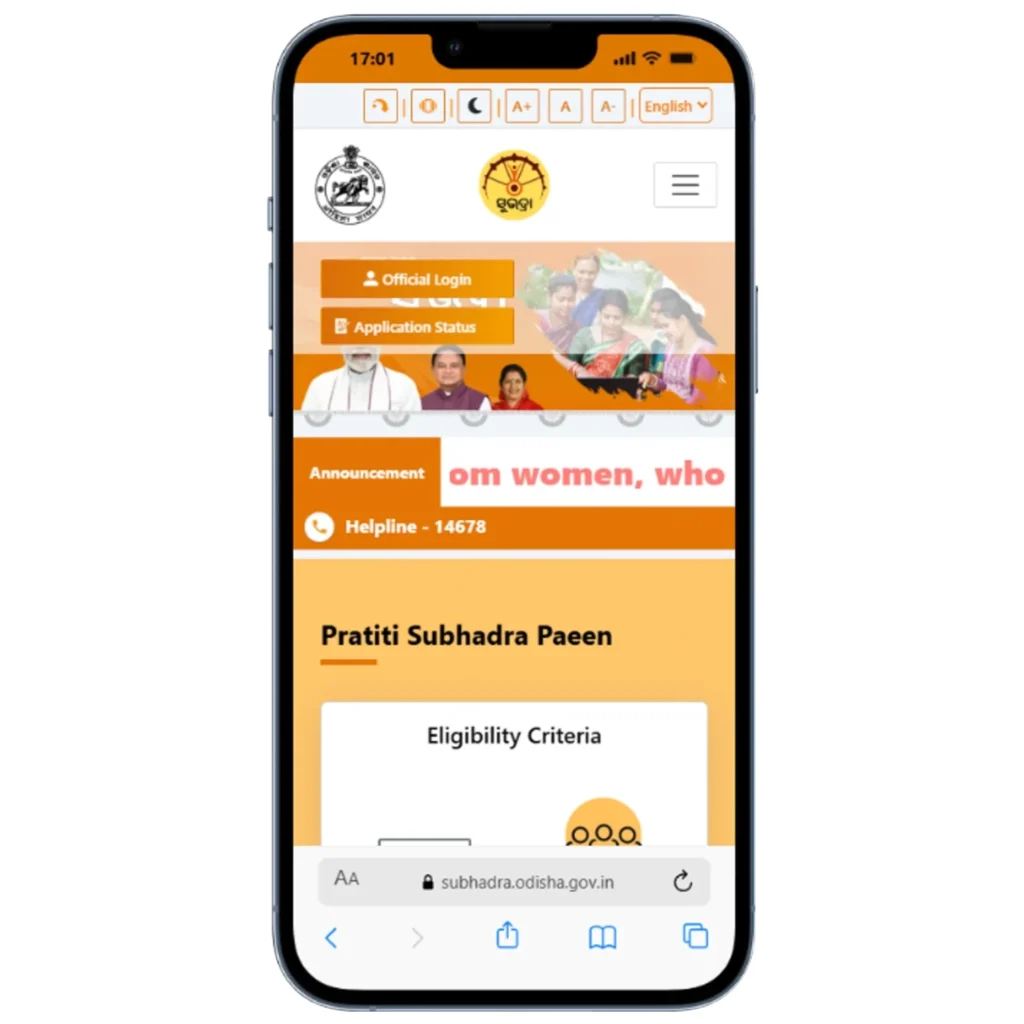
- Open Chrome or Safari on your mobile phone
- Type subhadra.odisha.gov.in in the address bar and press Enter
- The portal is mobile-responsive, it adjusts to your screen size automatically
- Use the menu or homepage buttons to navigate to Status Check, Beneficiary List, or Grievance
- Enter your Aadhaar number when prompted no account creation needed for status checks
How to File a Grievance on the Subhadra Yojana Portal
- Go to subhadra.odisha.gov.in and click “Grievance”
- Select the type of grievance missing payment, rejection, NPCI issue, status not updating, etc.
- Enter your Application Inward Number or Aadhaar number
- Describe your complaint clearly and attach supporting documents if available
- Submit note the Grievance Reference Number for follow-up
📋 Full grievance guide with all complaint types → | Helpline number details & timings →
Frequently Asked Questions Subhadra Yojana Portal 2026
Q1. What is the official website of Subhadra Yojana?
The official website of Subhadra Yojana is subhadra.odisha.gov.in managed by the Women and Child Development Department of the Government of Odisha. This is the only authorised platform for applying, checking status, viewing beneficiary lists, filing grievances, and downloading forms. Do not use any other website claiming to offer Subhadra Yojana services they may be fraudulent. Bookmark the official URL for safe daily access.
Q2. How do I login to the Subhadra Yojana portal?
General applicants do not need to create an account or login to check their status or view the beneficiary list these features are publicly accessible by entering your Aadhaar number. If you are a VLE at a CSC and need to submit an application, go to subhadra.odisha.gov.in, click Login, and select CSC Login to enter using your Digital Seva Connect credentials. Department and field verification officials have separate login portals.
Q3. Is there a Subhadra Yojana mobile app for applicants?
No official public app exists for general applicants as of April 2026. The portal at subhadra.odisha.gov.in is fully mobile-optimised and works on Chrome and Safari browsers on any smartphone. A “Subhadra App” is available on Google Play but it is only for designated agency VLEs conducting Aadhaar e-KYC verification not for individual women to check status or apply. Follow @WCD_Odisha on X (formerly Twitter) for any new app announcements.
Q4. The Subhadra Yojana portal is not opening — what should I do?
If the portal is not loading, try these steps: clear your browser cache and cookies, try a different browser (Chrome instead of Firefox), check your internet connection, or try accessing during off-peak hours (early morning before 9 AM is less busy). The portal can be slow during peak periods like just before or after installment release dates. If the portal is completely down, wait a few hours and try again maintenance is usually brief and announced on @WCD_Odisha on X.
Q5. Can I download the Subhadra Yojana form from the portal?
Yes. The official application form can be downloaded from subhadra.odisha.gov.in under the Downloads or Forms section. The form is free — print it on A4 size paper. Fill it in capital letters using black ink only, and do not use whitener or overwrite. Alternatively, collect a free physical form from your nearest Anganwadi Centre, CSC, BDO office, or Mo Seba Kendra. Do not pay anyone to provide you with the form as it is publicly available at no cost.
Q6. What is the Subhadra Yojana helpline number?
The official Subhadra Yojana helpline number is 14678. It operates daily from 6 AM to 10 PM, including weekends. You can call to inquire about application status, report missing payments, ask about eligibility, track grievances by reference number, or get guidance on e-KYC or DBT issues. The helpline is toll-free and available in Odia, Hindi, and English. For complex issues, also file a written grievance on the portal for a record of your complaint.
Q7. How do I check my Subhadra Yojana status on the portal?
Visit subhadra.odisha.gov.in and click “Track Application Status.” Enter your 12-digit Aadhaar number or 16-digit Application Inward Number in the field provided. Click Submit your status (Approved, Under Process, Rejected, or Payment Processed) will appear immediately. No account or login is needed. For the 4th installment released on March 8, 2026, look for “Payment Processed” with a March 2026 date and verify the credit in your bank account.
Q8. When was the Subhadra Yojana portal relaunched?
The Subhadra Yojana portal was relaunched on August 9, 2025 coinciding with Raksha Bandhan and the 3rd installment release to accept new applications for the 2025–26 and 2026–27 cycles. The relaunch added improved features including better mobile optimisation, a streamlined beneficiary list viewer, and an updated grievance portal. New applications for 2026–27 are currently being processed through this relaunched portal.
Q9. How often is the beneficiary list updated on the portal?
The Subhadra Yojana beneficiary list is updated on a rolling basis as new applications are verified and approved by the DLSC at district level. A major list update occurs approximately 2 to 4 weeks before each scheduled installment date before Raksha Bandhan (August) and International Women’s Day (March 8). Between installment cycles, smaller updates are added as individual cases are resolved. Check the portal monthly if you have recently applied.
Q10. Is the Subhadra Yojana portal available in Odia language?
The portal at subhadra.odisha.gov.in primarily operates in English, but many on-screen instructions and announcements are also available in Odia script. For Odia language guidance on using the portal, visit your nearest Anganwadi Centre or CSC and request help from the Anganwadi worker or VLE they are trained to assist women in their local language. The helpline at 14678 also offers support in Odia.